How distance learning works
Learn how online study at SIT works, including course delivery, assessments, support services, and what to expect throughout your qualification.
SIT Online allows students to study from anywhere in New Zealand through a flexible online learning environment.
Course materials, assessments and communication are accessed online, allowing students to balance study alongside work, family and other commitments.
You'll receive support from facilitators and have access to a range of student services throughout your studies.

The Application Process
1. Apply and Enrol
Choose your programme and complete the enrolment process.
You'll need:
- Verified identification
- Education information
- Personal details
2. Receive Your Study Information
Once accepted, you'll receive:
- An Offer of Place
- MYSIT login details, username and password with your Enrolment Confirmation letter.
- Access to relevant systems
- Information to help you prepare for study
3. Your First Two Weeks
When your study begins, there are a few important things to do:
- Log in to MySIT
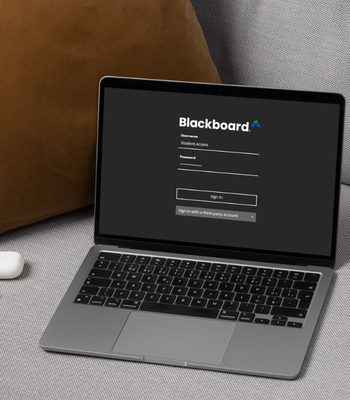
- Access Blackboard
- Check your SIT student email
- Contact your facilitator during your first week
- Review your course calendar and assessment dates
- Create a study plan that works around your commitments
SIT may also contact you during your first weeks to make sure everything is running smoothly.
If your facilitator does not hear from you when study begins, you may be withdrawn from your course.
4. During Your Studies
- Keep in contact with your facilitator – especially if you have queries. Their contact details will be in Blackboard
- If you need to transfer or withdraw from an intake you will need to fill a form and submit it to your administrator. This can be found in Blackboard on the Programme page.
5. Complete Your Programme
Finish assessments and successfully complete your courses.
6. Receive Your Academic Record
Official SIT Academic Transcripts are generally issued 6–8 weeks after the completion of study.
Distance learning tools
Once you're enrolled, you'll have access to the below:
- IT Help
- Library
- Blackboard
- One Drive
- Student Email
- Microsoft Office 365
- Student Support Services
Can I transfer into another intake?
Yes, in extenuating circumstances. Transfers must be requested in writing on a SIT Online transfer form prior to, or within, the first two weeks after an intake start date.
Each transfer requested will incur an administration fee of $50.
Transfers from one academic year to the next are not allowed.
How do I communicate with my Facilitator?
In most cases your communication with your Facilitator will be via Blackboard and email. Our policy is that facilitators are to respond to email communication within 48 hours during working days (we do not require them to work weekends) and the expected assignment marking turnaround timeframe is 10 working days.
If you are experiencing specific issues communicating with your Facilitator, please message us with your student ID number or contact details or phone/email us direct so we can assist.
How do I login to MYSIT?
Open your internet browser and go to https://my.sit.ac.nz.
New Students
When logging into an on-campus PC for the first time, click on the key icon. For all other first-time logins, please visit https://reset.sit.ac.nz to setup your password.
Please note: When you first log in you will be prompted to change your password and set your password reset details. Please do so right away to avoid any disruptions to your system access. You cannot connect to the SIT- WIFI without changing your password from the default one.
Returning Students
Please note, your password will not have changed since the last time you were studying. If you cannot remember what it was, please use the password self-service link to reset it https://reset.sit.ac.nz
How do I withdraw from a paper?
Withdrawal and Refund Policy
If you are thinking about withdrawing from an SIT programme or course, speak with your Programme Manager or Head of Faculty in the first instance, except for community courses.
To formally withdraw, you must complete the appropriate withdrawal form, available from your acceptance pack, MySIT or the Administration Team. Your withdrawal takes effect from the date SIT receives your completed form.
Verbal notification to an SIT staff member is not accepted as formal notice of withdrawal.
How to withdraw
- Talk to your Programme Manager or Head of Faculty.
- Complete the appropriate withdrawal form.
- Submit the completed form to SIT.
- If you are a full-time student, your withdrawal must be endorsed by the Head of Faculty.
Withdrawal dates and refunds
Your refund entitlement and academic record depend on when SIT receives your formal withdrawal.
- If you withdraw by the Withdrawal Date:
- Refund: Full refund
- Administration fee: Nil
- Academic record: No academic record
- If you withdraw after the Withdrawal Date:
- Refund: No refund
- Administration fee: Nil
- Academic record: Withdrawn (WD)
- If you withdraw after 80% of the course has been completed:
- Refund: No refund
- Administration fee: Nil
- Academic record: Failure to complete qualification
Withdrawal Date
The Withdrawal Date for each course is the earlier of:
- One month after the course starts; or
- The date when 10% of the course has been completed.
Costs that are not refunded
SIT does not refund:
- NZQA registration fees
- Credit registration fees
- SIT Online administration fees
- The cost of programme materials
If you withdraw by the Withdrawal Date, SIT will refund any unused materials fee. Materials fees are not refundable after the Withdrawal Date.
StudyLink loans and allowances
If your course fees were paid through a StudyLink student loan, any applicable refund must be sent to StudyLink.
Withdrawing from study may also affect your student loan or allowance. You are responsible for informing StudyLink that you have withdrawn from your studies.
If you haven't paid your fees
If you withdraw but have not yet paid your fees, you may still be required to pay the fees charged for your programme.
Community courses
A full refund is available if you withdraw from a community course at least three working days before the class starts.
If SIT cancels a course
You will receive a full refund if SIT cancels your course.
SIT reserves the right to cancel courses due to insufficient enrolment numbers.
International students
International students should contact the International Office for information about the withdrawal and refund policy that applies to international students.
Academic records after withdrawing
Students who formally withdraw may receive an SIT transcript showing papers, modules or units successfully completed before withdrawal.
Successfully completed unit standards will be registered with NZQA where the applicable registration fee has been paid.
Refund processing
Refunds may take up to four weeks to process.
Need help?
If you have questions about withdrawing from your programme or the refund process, contact the SIT Administration Team.
I have received my login details, what's next?
Follow the login instructions and familiarise yourself with Blackboard. Remember that your course material will only be available from the first day of the intake. In the meantime, if you are new to SIT Online (formerly SIT2LRN) read through the Important Information booklet. If you have problems logging into Blackboard, please contact the Helpdesk on 0800 748 435.
What is Blackboard?
Blackboard is where you can find information about your course.
In order to get to Blackboard, click on "Blackboard" under "Apps" on the left or from the Quick Links menu.
Once you have clicked on the Blackboard link you will be taken to your Activity Stream. Here you will find all the recent updates and upcoming events in your Blackboard courses.
On the left hand navigation panel, you will see a link labelled “Courses” (highlighted in the graphic). Click on this to view your current courses. Within each of these courses you will find your course content, assignments and learning resources.
What is a Faculty Withdrawal?
Learners may be withdrawn from their course by SIT Online if they fail to email their Facilitator within two weeks of the intake start date. Faculty withdrawals can also be requested if learners fail to complete assignments/assessments without reasonable excuse. A faculty withdrawal may affect any future applications to study with SIT and your eligibility for the Zero Fees Scheme.
What textbooks do I need for my course?
This information is contained in the course information page on the website. Not all programmes require textbooks - if your papers is not listed then you do not need to purchase a textbook.
Who should I contact if I experience any technical difficulties?
SIT operates a helpdesk that is available 8am - 5pm Monday to Friday. You can either email helpdesk@sit.ac.nz or telephone them on 0800 748 435. Be sure to quote your name and Student ID Number with your enquiry.
Who should I contact if I have any questions about my course?
Programme specific enquiries should be directed to your Facilitator. Email details for your Facilitator are located within Blackboard.
Enrolment/ Withdrawal/ Transfer enquiries should be directed to your Administrator. Email details for your Administrator can also be found on Blackboard.
Follow SIT